Wake up early.
Stop snoozing.
Wekup is the alarm app that makes you actually wake up. No snooze, no dismiss — the only way to silence it is to finish the mission you picked the night before.
- No snooze button
- Verified, not timed
- Built for heavy sleepers
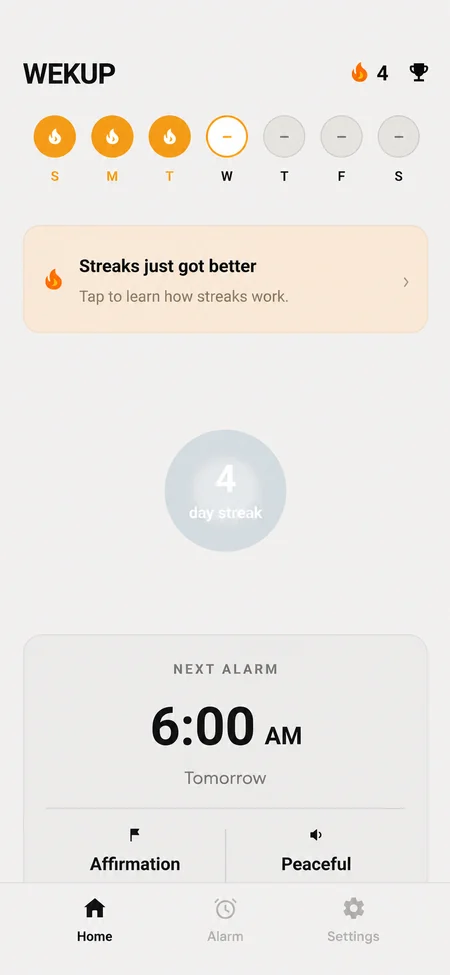
Three steps to your earliest morning ever
Set up in thirty seconds tonight. Wake up early tomorrow.
- 01
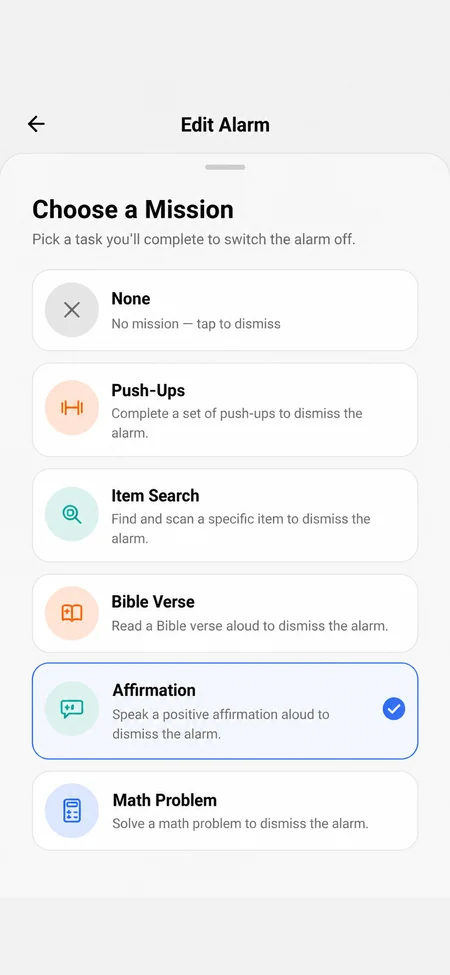
Set your alarm and pick a mission
Choose your wake-up time, then attach a mission: push-ups, an item to go find, a math problem, a spoken affirmation or a Bible verse.
- 02
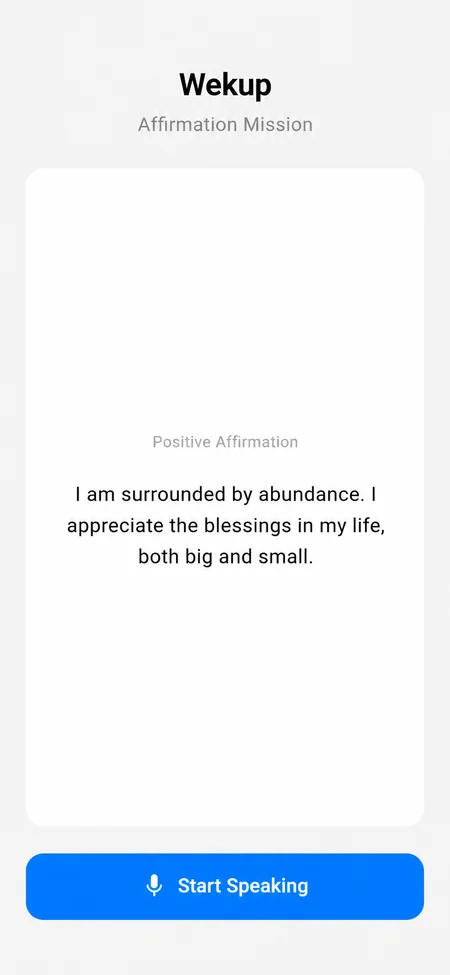
Complete it to stop the noise
When the alarm rings there's no snooze and no dismiss. It keeps going until you finish the mission you chose the night before.
- 03
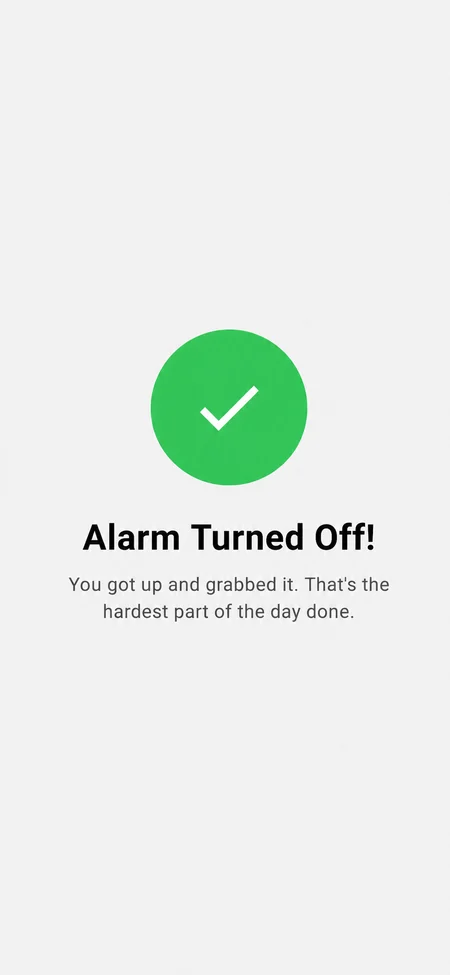
Alarm off. You're already up.
By the time the mission is done you're out of bed and awake — and your streak grows by one more morning.
Five ways to get yourself out of bed
Set a different mission on every alarm — or put the one you dread most on the earliest one.
- Photo check
Push-Ups
Get on the floor and do a set. You photograph yourself mid-rep to prove it.
Included with a subscription
- Photo check
Item Search
Wekup names an everyday object — your keys, a banana, a toothbrush. Get up, find it, scan it.
Included with a subscription
- Voice check
Affirmation
Read a short positive statement out loud. Your voice is what dismisses the alarm.
- Voice check
Bible Verse
Start the day in scripture. Read the verse aloud and the alarm goes quiet.
- Answer check
Math Problem
Solve a problem until your brain switches on. Harder than it sounds at 6am.
You are not qualified to make decisions at 6am
Sleep inertia is the grogginess and impaired judgment right after waking. Research puts it at roughly 15 to 30 minutes for most people, and it can run longer after a short or badly timed night.
That's the problem with a snooze button. It hands the most consequential decision of your morning to the version of you least equipped to make it — one who will trade the next hour away without hesitating, and won't remember doing it.
Wekup doesn't claim to cure that grogginess. Nothing reliably does inside the first fifteen minutes. What it does is take the decision off the table. There is no button to negotiate with. By the time the alarm stops, you're on the floor, holding your keys, or reading out loud — and the window where going back to bed was possible has quietly closed.
Sources: Sleep inertia: current insights — Nature and Science of Sleep · Exercising Caution Upon Waking — Frontiers in Physiology
A camera in your bedroom is a big ask
So here's exactly what happens when you complete a mission, and what we keep.
A check, not a countdown
Photo missions are judged on whether the picture actually shows what it should — you mid push-up, or the specific object you were asked to find. Timers can be waited out. This can't.
Spoken missions are transcribed
Affirmations and Bible verses are checked against what you actually said, not how long you held the button. Mumbling something else won't pass.
Nothing you record is kept
The photo or audio clip is used for that single check and then discarded. It is never saved to your account. What's stored is the result, the time you woke up, and your streak.
The camera only opens for a mission
There's no background monitoring and no always-on microphone. You grant camera and mic access, and they're used at the moment you tap to capture.
The full detail is in our Privacy Policy, and you can delete your account and data at any time.
Built to keep you consistent
Getting up once is easy. Wekup is designed for the mornings after that.
Streaks that hold you to it
Every morning you finish your mission, the chain grows. Miss one and it resets. Your current run sits at the top of the home screen where you can't ignore it.
Your real wake-up history
Every alarm that fires is recorded — the ones you completed and the ones you didn't. The pattern is harder to argue with than your memory of it.
Achievements
Milestones for the runs worth being proud of, so a long streak is more than a number that resets to zero.
Alarms that survive the night
Full-screen alarms fire even when the phone is locked. A built-in diagnostics screen tells you if the system settings that alarms depend on are getting in the way.
Sounds you can stand
From a gentle piano wake-up to something genuinely unpleasant. Pick per alarm depending on how much you trust yourself.
Free to download
Affirmation, Bible Verse and Math missions need no subscription. The two photo missions — Push-Ups and Item Search — are part of the paid plan.
Everything worth asking
You set an alarm and attach a mission to it. When the alarm goes off, the usual snooze and dismiss buttons are gone — the only way to silence it is to complete the mission you picked the night before. By the time you're done, you're already awake and out of bed.
There are five: Push-Ups, Item Search, Affirmation, Bible Verse and Math Problem. You can set a different mission for each alarm, or put the one you find hardest on your earliest alarm.
Each mission is checked, not timed. Push-Ups and Item Search ask for a photo, which is checked for whether it really shows you mid push-up or the specific object you were asked to find. Affirmation and Bible Verse record your voice, transcribe it, and compare it to the text you were given. Math checks your answer. There is no skip button.
They're used for that single verification check and then discarded — they're never saved to your account. What is stored is the outcome, the time you woke up, and your streak. The camera and microphone are only used at the moment you complete a mission; there's no background monitoring.
That's who it was built for. The alarm keeps ringing until the mission is complete, and the physical missions are designed to get you fully upright rather than half-awake. Pair a loud tone with a harder mission if you know you're a hard case.
Every morning you wake up on time and finish your mission, your streak grows by one. Miss a day and the chain resets to zero. Your current run sits at the top of the home screen, and every alarm that fires is recorded in your wake-up history — including the ones you didn't complete.
Wekup is free to download, and the Affirmation, Bible Verse and Math Problem missions are included at no cost. The two photo missions — Push-Ups and Item Search — are part of the paid subscription, because each verification has a real per-check cost to run.
Wekup is built for both iOS and Android. Your alarms, missions and streak history stay with your account, so they follow you if you change phone.
Yes. Wekup uses full-screen alarm notifications, so the alarm takes over the screen and plays even when the phone is locked. You'll be asked to grant alarm and notification permissions during setup — the alarm depends on them — and there's a diagnostics screen in the app that tells you if a system setting is interfering.
Yes. Affirmation and Bible Verse use the microphone, and Math Problem needs neither. Only Push-Ups and Item Search use the camera.
Still stuck? Email us and a human will get back to you.
Tomorrow morning starts tonight
Set one alarm, pick one mission, and find out what you actually do with an extra hour.